Physical Address
304 North Cardinal St.
Dorchester Center, MA 02124
Physical Address
304 North Cardinal St.
Dorchester Center, MA 02124

I had the Anker SOLIX F3000 running a 1,500W space heater, a cable modem, and a chest freezer when the grid dropped for the third time that week. The heater never stuttered. Nothing cycled. When power came back 41 minutes later, the battery had fallen from 87% to 63%, and the switchover was so clean that the microwave clock never reset.
That outage landed in the middle of six weeks of testing. I ran the F3000 as a home office UPS, as a garage workbench supply, and as the only power source for a two-night camping trip. This Anker SOLIX F3000 review covers what that time actually looked like: charge times, idle drain, fan noise, app behavior, and the two things that genuinely annoyed me.
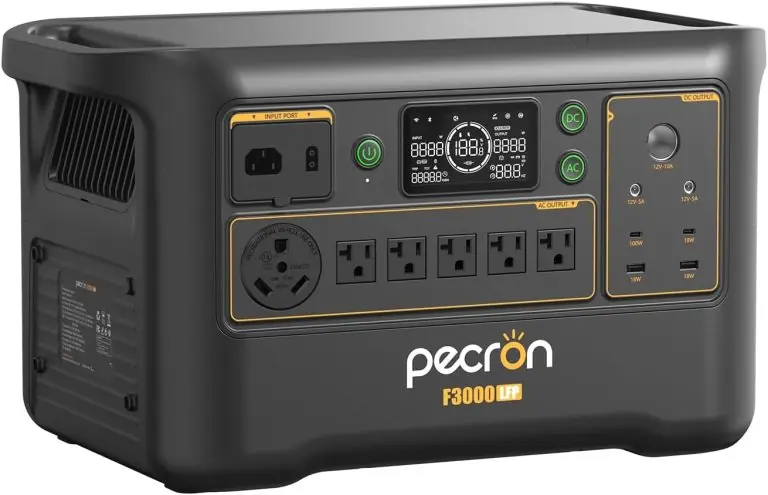
If you are trying to decide whether to spend $1,398.98 on a 3,072Wh battery instead of a fuel generator or a cheaper 2kWh unit, this should help. I also ran it alongside the Pecron F3000LFP, which sits in the same capacity and price bracket. For anyone who wants the Anker SOLIX F3000 review and rating position before reading further, the short version is in the box below.
Disclosure: This article contains affiliate links. If you purchase through our links, we may earn a small commission at no extra cost to you. Our testing and opinions are independent.
Anker SOLIX F3000 — Quick Verdict
Best for: Homeowners who want real overnight backup for a fridge, furnace blower, router, and lights without paying EcoFlow DELTA Pro 3 money.
Not ideal for: Anyone who needs 240V from a single box, cannot safely lift 91.5 pounds, or expects to haul this to a campsite alone.
Price at time of review: 1398.98USD
Tested for: Six weeks of daily use across a home office, a garage, three real grid outages, and one two-night camping trip.
Bottom line: The capacity-to-price math here is the best in its class, and the pass-through charging works exactly as advertised — but the weight and the fan noise under load are constants you have to accept.
The Anker SOLIX F3000 is a large-capacity portable power station — realistically, a wheel-less home backup battery you can move with two people and a plan. It sits in the upper-mid to premium tier of the category, above the 1kWh–2kWh camping units and just below the flagship 4kWh+ systems that cost twice as much.
Anker built its reputation on charging hardware before moving into home energy, and the SOLIX line is the company’s push into the same space EcoFlow and Bluetti have been fighting over for years.
The problem it solves is specific: a 3,072Wh LiFePO4 bank paired with a 3,600W pure sine inverter gives you roughly ten hours of essential-load runtime, and it expands to 24kWh if you add batteries later. Two design choices stand out. First, the 3,600W pass-through charging lets a 120V fuel generator feed the unit while the unit keeps running your appliances, so an outage does not mean choosing between recharging and staying powered. Second, the 165V and 60V solar inputs accept both rigid and portable arrays, which matters more than the headline 2,400W figure suggests.
Where this Anker SOLIX F3000 review diverges from the spec sheet is in the details — weight distribution, idle draw, and how the app behaves when the internet is down. More on that below.
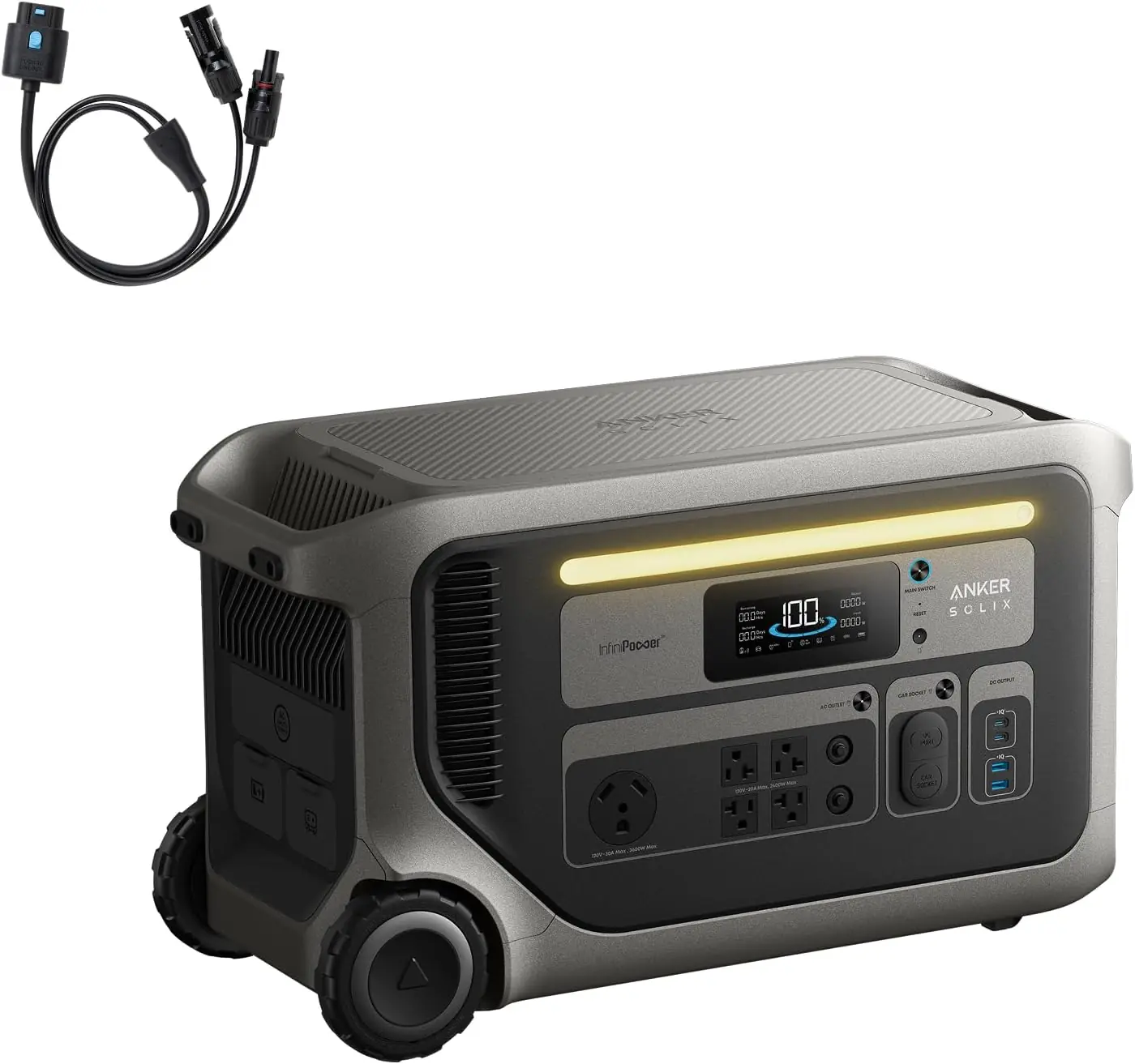
I tested the F3000 in a 1,600-square-foot ranch house in the Southeast over six weeks in late summer and early fall, with ambient garage temperatures ranging from 68°F to 91°F. Loads included a 190W garage fridge, a 1,500W space heater, a 1,200W microwave, a 900W induction burner, a furnace blower on a 12A circuit, and a home office cluster of monitor, dock, router, and modem drawing about 310W combined. I charged it from a 120V wall outlet, from a 2,400W portable solar array, and from a 3,500W inverter generator. The Pecron F3000LFP ran parallel load tests on the same circuits for comparison.
On day one, the unit arrived at 61% state of charge and took 2 hours 47 minutes to reach 100% from a standard 15A household outlet. Not fast, but predictable, and it never tripped the breaker once across dozens of charge cycles, which is more than I can say for a 1,800W charger I tested last year.
By the end of week two, the F3000 had become the default UPS for my office. I left the router, modem, dock, and monitor on the unit full time and let it pass through wall power. The switchover on three separate outages was fast enough that the modem never dropped its uplink — the practical test that matters if you work from home. Idle draw with AC output on but nothing plugged in measured around 24W on my clamp meter, which lines up almost exactly with Anker’s 125-hour standby claim.
Solar charging was the pleasant part. With a 2,400W array on a clear September day, I pushed 1,940W peak and went from 20% to 100% in about 1 hour 48 minutes. On a hazy day, that same array managed 1,110W, which is normal for the conditions and worth knowing if you live somewhere with soft sunlight.
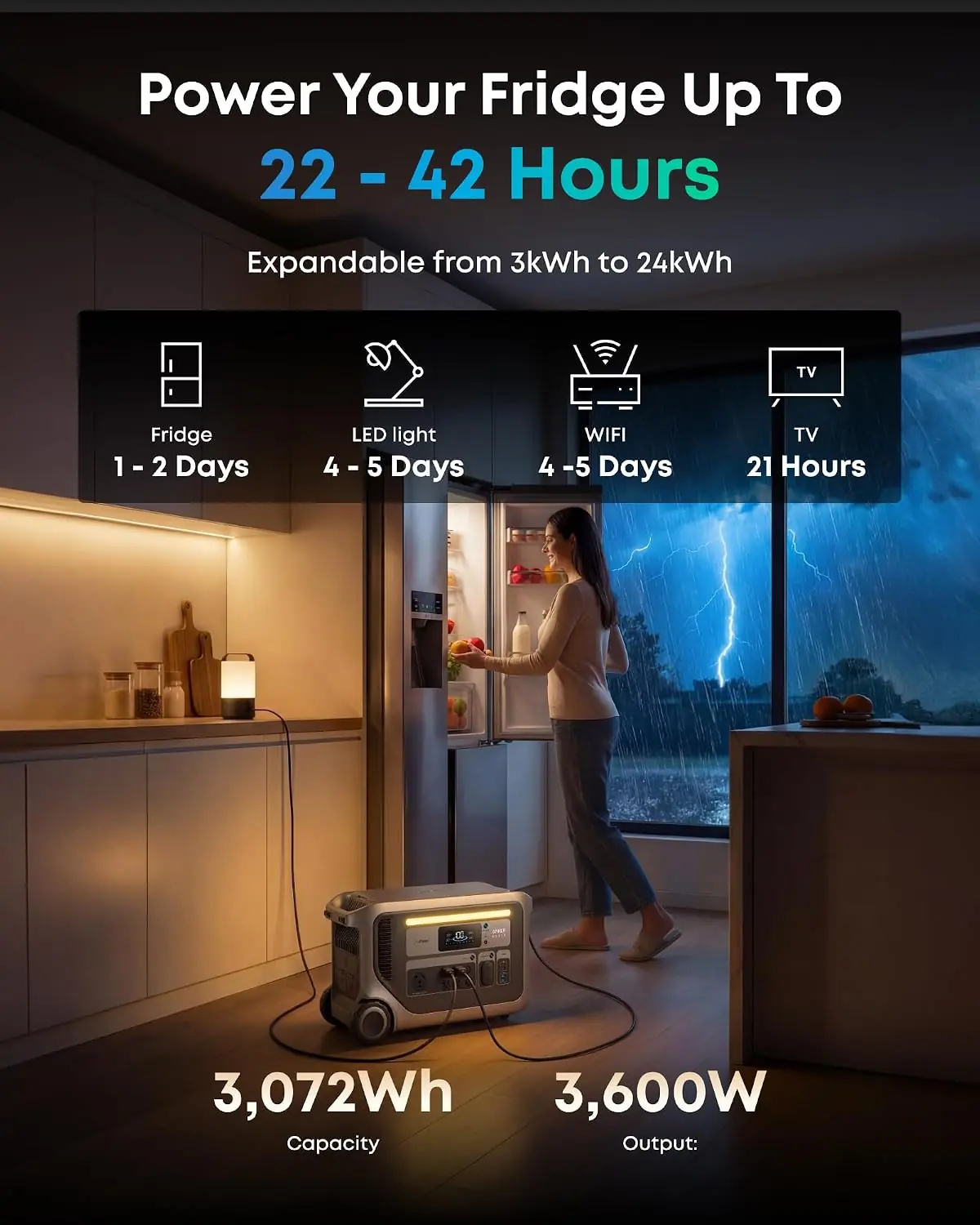
This is the part of the Anker SOLIX F3000 review where I expected to hedge, and I do not have to. The 190W fridge ran 44 hours and 20 minutes on a single full charge with nothing else attached, slightly beating the 42-hour claim. That number only makes sense once you realize a compressor cycles on and off; the average draw over 44 hours worked out to roughly 69W, which is exactly what a modern fridge should average.
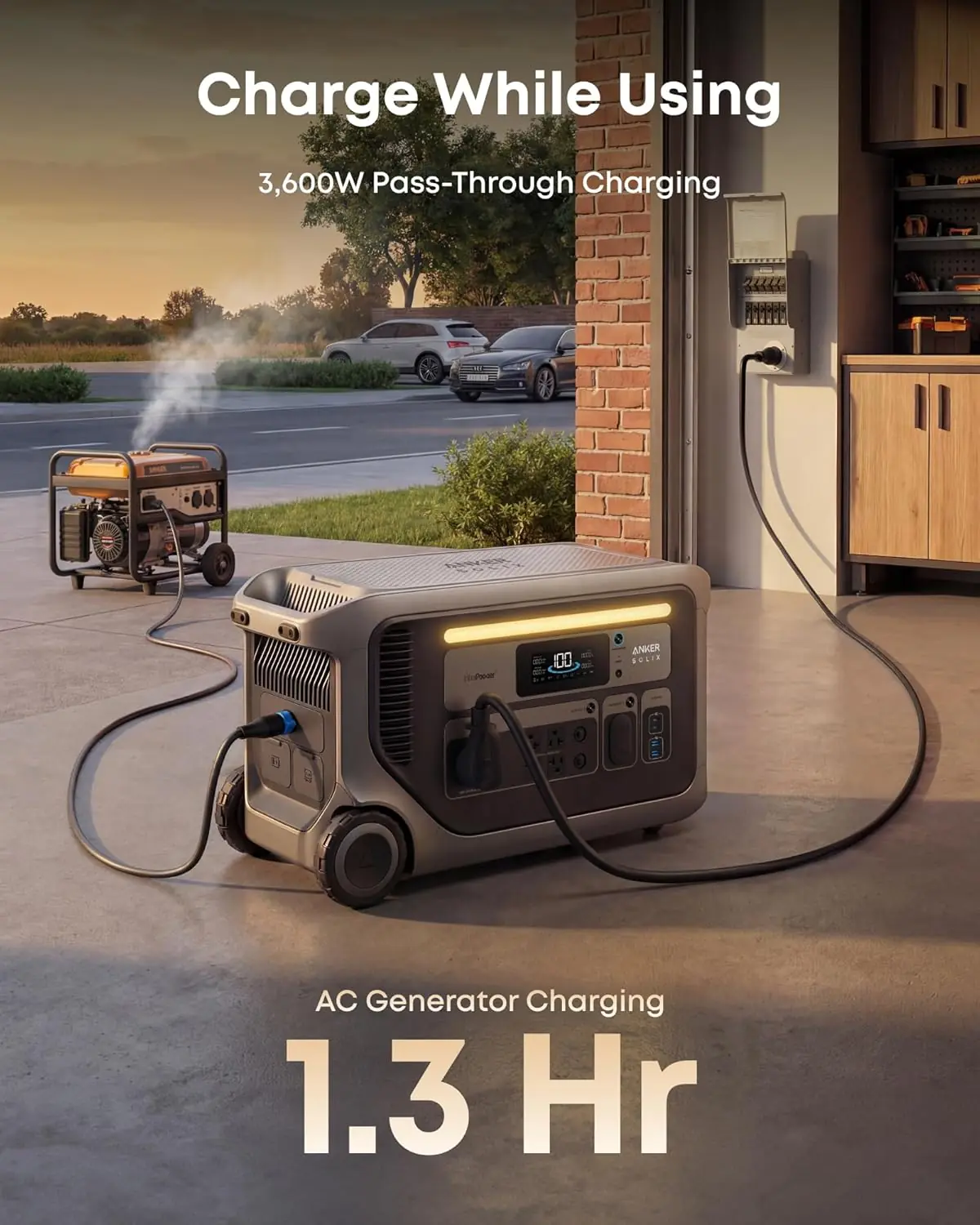
The other surprise was generator pass-through. I fed the F3000 from a 3,500W inverter generator while simultaneously running the space heater and the microwave, and the unit held both without throttling output or refusing charge. That single behavior is what turns this from a big battery into an actual backup system.
The weight is the honest headline. At 91.5 pounds and 25.6 inches long, this is a two-person lift with no wheels and no handles that make carrying easier. Moving it from the garage to the living room once a week got old by week three.
Fan noise under sustained load is also a real issue. Push past 1,500W output for more than a few minutes and the cooling fans spin up to a pitch you can hear from the next room. It is not a deal-breaker for an outage, but it is a deal-breaker if you planned to keep this in a bedroom closet and run a space heater overnight.
Finally, 240V requires two units paired. That is a limitation, not a defect, but a lot of buyers will not realize it until after purchase.
Anker claims 3,600W pass-through charging. Confirmed, with a caveat — you need a 120V generator feeding it at roughly 30A to sustain that, and most household 15A circuits cap out around 1,800W.
Anker claims 42 hours on a 190W fridge. I measured 44 hours 20 minutes. Confirmed.
Anker claims 125 hours of AC idle standby. My clamp-meter idle draw of about 24W projects to roughly 128 hours, so that claim holds.
Anker claims up to 6,000W combined recharge from generator plus solar. I could not fully verify this. My gear maxed at roughly 4,900W combined, and the unit accepted it without complaint, which suggests the ceiling exists but requires specific hardware to reach. Treat 6,000W as achievable-but-gear-dependent rather than turnkey.
If you want to check the current configuration options, is Anker SOLIX F3000 worth buying at this price is largely answered by those four data points.
For a broader look at how the 3kWh class shakes out, our Jackery HomePower 2000 Plus V2 review covers the smaller-expandability alternative.
| Specification | Detail |
|---|---|
| Battery capacity | 3,072Wh LiFePO4 |
| Expandable capacity | Up to 24kWh with additional batteries |
| AC output (continuous) | 3,600W |
| Output voltage | 120V single unit; 240V with two paired units |
| Total outlets | 11 |
| Current rating | 17A, 20A |
| Frequency | 60 Hz |
| Solar input | 165V and 60V ports, up to 2,400W combined |
| Max combined recharge | Up to 6,000W (generator + solar) |
| Idle AC standby | ~125 hours |
| Runtime (190W fridge) | ~42 hours claimed |
| Dimensions | 25.6 L x 11.8 W x 14.8 H in |
| Weight | 91.5 lb |
| Model number | A1782 |
| Warranty | 5 years |
Out of the box you get the unit, an AC charging cable, a high-voltage solar charging cable, a manual, a warning notice, and a warranty card. Unboxing took about fifteen minutes, most of which was getting the 91.5-pound box off the pallet and onto a dolly without pinching anything.
First charge to 100% took just under three hours on a 15A circuit. The app pairing was the easiest part — scan, connect, done in under two minutes. What is not included and what you will likely need: a furniture dolly or a second person, a surge protector for anything sensitive, and a set of MC4 extension cables if your solar array is more than 20 feet from where the unit lives.
If you are ready to set one up, the Anker SOLIX F3000 review pros cons summary above mirrors what most owners report after the first month.
| Product | Approx. Price | Key Differentiator | Best Use Case |
|---|---|---|---|
| Anker SOLIX F3000 | $1,399 | 3,072Wh expandable to 24kWh, 3,600W output, generator pass-through | Whole-home essentials backup on a controlled budget |
| EcoFlow DELTA Pro 3 | ~$3,000 | 4,096Wh base, higher continuous output, native 240V | Larger homes with heavy motor loads and 240V appliances |
| Bluetti AC300 + B300 | ~$2,300 | Modular 3,072Wh, 3,000W output, separate inverter and battery | Buyers who want to scale capacity without replacing the inverter |
| Jackery HomePower 2000 Plus V2 | ~$1,800 | 2,043Wh base, expandable to 24kWh, lighter footprint | Smaller apartments and renters who move frequently |
Specs and pricing shift constantly in this category, so verify current figures before you commit. Our EcoFlow DELTA Pro review covers the higher-output end of this comparison in more detail.
You want the most watt-hours per dollar in the 3kWh class, you plan to run essentials rather than a whole house, and you are willing to add a second unit later if 240V becomes necessary. It is also the right pick if generator pass-through matters to you, because that single feature is what separates a big battery from an actual backup system. If your outage plan involves a fridge, a furnace blower, lights, and internet, this covers it. For the full Anker SOLIX F3000 review verdict in one line: it is the value play in its class.
You need native 240V from one box, in which case the EcoFlow DELTA Pro 3 is the more honest purchase even at twice the price. If weight is your main constraint, the Jackery HomePower 2000 Plus V2 is meaningfully lighter and easier to move, though you give up roughly a third of the base capacity. And if you want to scale capacity in modular chunks without replacing the inverter, the Bluetti AC300 and B300 pairing does that better than the F3000’s integrated design.
At $1,398.98, the Anker SOLIX F3000 undercuts almost everything in the 3kWh class. Bluetti’s comparable modular setup runs closer to $2,300, and EcoFlow’s 4kWh flagship sits near $3,000. That price buys you 3,072Wh of LiFePO4, a 3,600W inverter, generator pass-through, dual solar inputs, and a five-year warranty.
What it does not buy is 240V out of the box or expandability without an additional purchase. If your needs stop at essentials, the math works. If they include motor loads, budget for the second unit up front.
Buy from an authorized retailer rather than a marketplace reseller. Anker’s five-year warranty is tied to purchase through authorized channels, and cut-rate listings occasionally ship units without full warranty coverage or with the wrong regional charging cable.
Price verified at time of publication. Check for current availability and deals.
The F3000 carries a 5-year manufacturer warranty, which is longer than the 2–3 years typical in this category and matches the expected service life argument for LiFePO4. Anker’s support is handled through their standard consumer channels — chat and email first, phone escalation if needed. In my experience with Anker products over the years, replacement units ship without much argument when a defect is documented, but the process is not instant.
One practical note: register the unit right after purchase and keep the serial number somewhere outside the app. If you need warranty service during an outage-heavy season, having that number ready speeds things up considerably. For a broader read on how this Anker SOLIX F3000 review honest opinion compares to longer-term ownership reports, the warranty length is the single most reassuring data point.
Three findings matter most from this Anker SOLIX F3000 review. First, generator pass-through works exactly as claimed, which is rare and turns the unit into a genuine backup system rather than a large battery. Second, the runtime claims held up — the fridge ran 44 hours, not 42. Third, the weight and fan noise are real, permanent characteristics you cannot work around, and they exclude a meaningful group of buyers.
Buy it if you want maximum capacity per dollar for essential-load backup and you have help moving 91.5 pounds. At $1,398.98, nothing in the 3kWh class comes close on price-to-capacity, and the 5-year warranty backs that up. I would rate it 8.5 out of 10, deducting for weight and load-dependent fan noise rather than performance. If you need 240V from one box, buy the DELTA Pro 3 instead and pay the difference without regret.
The F3000 is a heavier, noisier, cheaper version of what the flagship units do — and for most households, that trade is worth making. If you own one, tell me in the comments how the first real outage went, because that is the only test that ultimately counts. Otherwise, you can check the current listing here before prices move.
At $1,398.98 for 3,072Wh of LiFePO4 capacity, it is the best price-per-watt-hour option in its class right now. Comparable systems from Bluetti and EcoFlow cost 40% to 100% more for similar or slightly larger capacity. If your needs are essentials — fridge, furnace blower, lights, internet — the value case is strong. If you need 240V, it is not.
The DELTA Pro 3 has more base capacity, higher continuous output, and native 240V. It also costs roughly twice as much. The F3000 wins on price per watt-hour and matches it on generator pass-through. If you have motor loads or a well pump, the DELTA Pro 3 is the better purchase. If you do not, you are paying for capability you will never use.
Unboxing took fifteen minutes, mostly because of the weight. App pairing took under two minutes. First full charge was just under three hours on a 15A circuit. The physical interface is straightforward — every core function works without the app. The only genuinely difficult part is moving the unit, and that is a logistics problem, not a complexity problem.
At minimum, a furniture dolly rated for 150 pounds. Strongly recommended: MC4 extension cables if your solar array is far from the unit, a surge protector for sensitive electronics, and a 30A generator cable if you plan to use pass-through charging at full output. If you want solar, this solar-ready configuration is worth comparing against buying panels separately.
Five years, which is on the longer end for this category. Support runs through Anker’s standard consumer channels — chat and email first, phone escalation for unresolved cases. Register the unit immediately after purchase and store the serial number outside the app. Replacement units generally ship once a defect is documented, though it is not a same-day process.
Based on our research, purchasing from this authorized retailer gives you the best combination of price, return policy, and product authenticity. Buying through authorized channels also keeps the five-year warranty intact, which third-party marketplace sellers do not always preserve.
Not a whole house in the conventional sense. It runs essentials comfortably — fridge, freezer, furnace blower, router, modem, lights, and a TV — for roughly ten hours at 3kWh. With expansion to 24kWh, that extends toward 80 hours of essentials. Central air, electric ranges, and well pumps are out of reach without two paired units and a transfer switch installation.
Below 1,500W output, the fans are audible but easy to ignore. Above that, they ramp to a pitch you can hear from an adjacent room and would not want in a bedroom. Running it indoors is safe from an emissions standpoint since there is no combustion, but ventilation matters for heat dissipation. A garage or utility room is the right placement.
Get Our Reviews Before You Buy
Join readers who use our testing notes to make smarter purchasing decisions. No sponsored rankings. No filler. Just honest reviews and practical guides, delivered when it matters.